
Send your accountant five things from Seller Central: the settlement (payments) reports, the Amazon VAT Transactions Report, the Inventory Ledger report, the VAT invoices from the Tax Document Library, and your advertising invoices. Bank payout statements alone are not enough. If you sell through FBA and want someone to handle this for you, our Amazon FBA Accountants UK team works from exactly this set every month.
This guide explains what each report contains, why your accountant asks for it, where to click, and how often to send it.
Key takeaways
- Your bank shows only the net payout. Accountants need gross sales, fees, refunds, VAT and stock movements, and those sit in separate reports.
- The core pack is: settlement or date range transaction reports, the VAT Transactions Report, the Inventory Ledger, VAT invoices and advertising invoices.
- Advertising invoices are not in your sales reports. Download them separately.
- Send the pack monthly, not once a year. A monthly rhythm makes VAT returns and year-end accounts far quicker.
- If you are VAT registered, Making Tax Digital rules mean the data should flow into your software digitally, not through copy and paste.
Table of Contents
- Why the bank statement is never enough
- The reports your accountant needs
- How often to send them
- Making Tax Digital changes how you send data
- How long to keep the reports
- Common mistakes we see in a report pack
- Our perspective
- Let us handle the reports for you
- A note on year-end
- FAQ
- Sources
Why the bank statement is never enough
Amazon pays you a net figure. Before it lands in your account, Amazon has deducted referral fees, FBA fees, storage charges, advertising, refunds and sometimes reserves. If you book only the deposit, you record income that is too low, expenses that are missing, and VAT that does not reconcile. Industry guidance for UK sellers makes the same point: recording only the net amount hides gross sales, platform fees, storage charges and VAT obligations, and it undermines profitability analysis.
There is a second problem. Amazon does not give you one tidy tax report. It gives you fragments in different places, each answering a different question. Your accountant is stitching them into one set of records, so the job for you is to supply the right fragments on time.
The reports your accountant needs
Here is the pack, with what each part is for. Menu names change occasionally, so if a label looks different on your account, search for the report name in Seller Central.
| Report | Where to find it | What your accountant uses it for |
|---|---|---|
| Settlement reports or Date Range transaction report | Reports > Payments | Gross sales, fees, refunds and payouts, line by line |
| Date Range summary report (PDF) | Reports > Payments > Date Range Reports | A quick overview of income, expenses and taxes to sense-check totals |
| Amazon VAT Transactions Report | Reports > Tax Document Library | Mapping sales and VAT to the right boxes on the VAT return |
| VAT invoices | Reports > Tax Document Library | Evidence for the fees and charges Amazon bills you |
| Inventory Ledger report | Reports > Fulfilment by Amazon | Stock movements, write-offs, losses and reimbursements |
| Advertising invoices | Advertising > Campaign Manager > Billing | Advertising costs for the profit and loss |
| Supplier invoices, courier and prep costs | Your own records | Cost of goods and landed costs |
Settlement reports and Date Range transaction reports
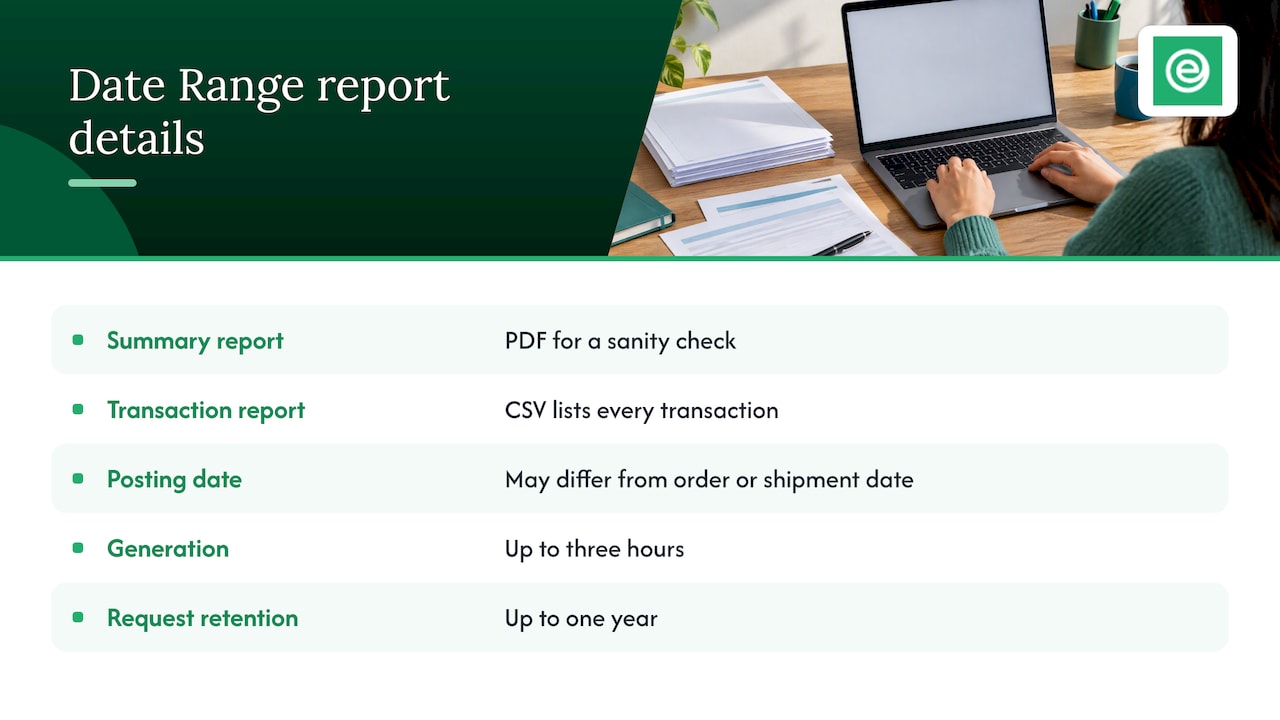
These are the backbone. Amazon’s own guidance on Date Range reports says they come in two forms: a Summary report as a PDF and a Transaction report as a CSV. The summary is useful for a sanity check. The CSV is the one that matters, because it lists every transaction in the range and lets your accountant reconcile it properly.
Two practical details from that same guidance. First, these reports are organised by the date a transaction posted to your account, which may not match the order date or shipment date. Do not be alarmed when a December order appears in January. Second, reports can take up to three hours to generate, and Amazon keeps your report requests for up to a year, so do not leave downloads to the night before a deadline.
If your accountant works with a settlement-based feed, you may not need to send these manually at all. More on that below.
The Amazon VAT Transactions Report
If you are VAT registered, this is the report that lets your accountant work out what goes where on the return. It carries the VAT treatment of each sale, including which transactions are yours to account for and which Amazon treats differently.
That last point is where sellers get caught out. Accountants flag that Amazon’s marketplace facilitator and deemed supplier rules change who carries the VAT burden on some sales, and that this affects Boxes 1, 4 and 6 of the return. Generic bookkeeping often gets this wrong. Send the VAT Transactions Report for the full VAT period, not a hand-picked selection of orders.
VAT invoices and the Tax Document Library
Amazon’s fees come with VAT, and you need the invoices to support any input VAT you reclaim. You will find these in the Tax Document Library, along with other tax documents. UK seller guidance recommends VAT-registered sellers download tax invoices, VAT calculation reports and disbursement reports from here, because they work as bookkeeping and audit evidence.
Save them as you go. Downloading a year’s worth in one sitting is slower and more error-prone than a monthly habit.
The Inventory Ledger report
This is the report most sellers forget, and the one that quietly changes your profit. It records stock movements in Amazon’s fulfilment centres: units received, sold, returned, lost, damaged and reimbursed. Your accountant uses it to value closing stock, spot write-offs and make sure reimbursements from Amazon are booked as income rather than disappearing.
If you hold stock at year end, stock value feeds directly into your cost of sales and therefore your taxable profit. A missing ledger means a guessed number.
Advertising invoices
Sponsored Products and other ad spend is a real cost, but it is not included in your general sales reports. As Amazon sellers explain on the Seller Central forum, VAT invoices live in the Tax Document Library, while the monthly summary invoices are under Advertising, Campaign Manager, the gear icon, then Billing. Download both if you want your costs to be complete.
Your own records: the part Amazon cannot give you
No Amazon report shows what you paid your supplier. Send supplier invoices, freight and customs paperwork, prep and packaging costs, and any other business expenses alongside the Amazon reports. Without them your accountant cannot calculate true cost of goods sold.
How often to send them
Monthly is the sensible default. Here is a simple rhythm:
- Within the first week after month end: download the transaction report or settlements for the month, the VAT Transactions Report and the Inventory Ledger.
- At the same time: grab advertising invoices and any new VAT invoices from the Tax Document Library.
- Add your own paperwork: supplier invoices and expense receipts for the month.
- Send or upload everything in one batch, named by month, so nothing gets mixed between periods.
- At VAT quarter end: confirm the three months match what you have already sent. Gaps are far cheaper to fix in week one than in week twelve.
If you are on a quarterly VAT return, a monthly rhythm means the return is mostly done by the time the quarter closes. If you only send documents annually, you are asking your accountant to rebuild twelve months from scratch, and mistakes in early months compound.
Making Tax Digital changes how you send data
If you are VAT registered, the way the data reaches your accountant matters as well as which reports you send. Under Making Tax Digital, there must be a digital link between the software and records you use, and manually copying or pasting figures between spreadsheets is not allowed in the chain. HMRC also explains that VAT-registered businesses must keep certain records digitally and file returns using software, and that businesses which do not can be charged penalties.
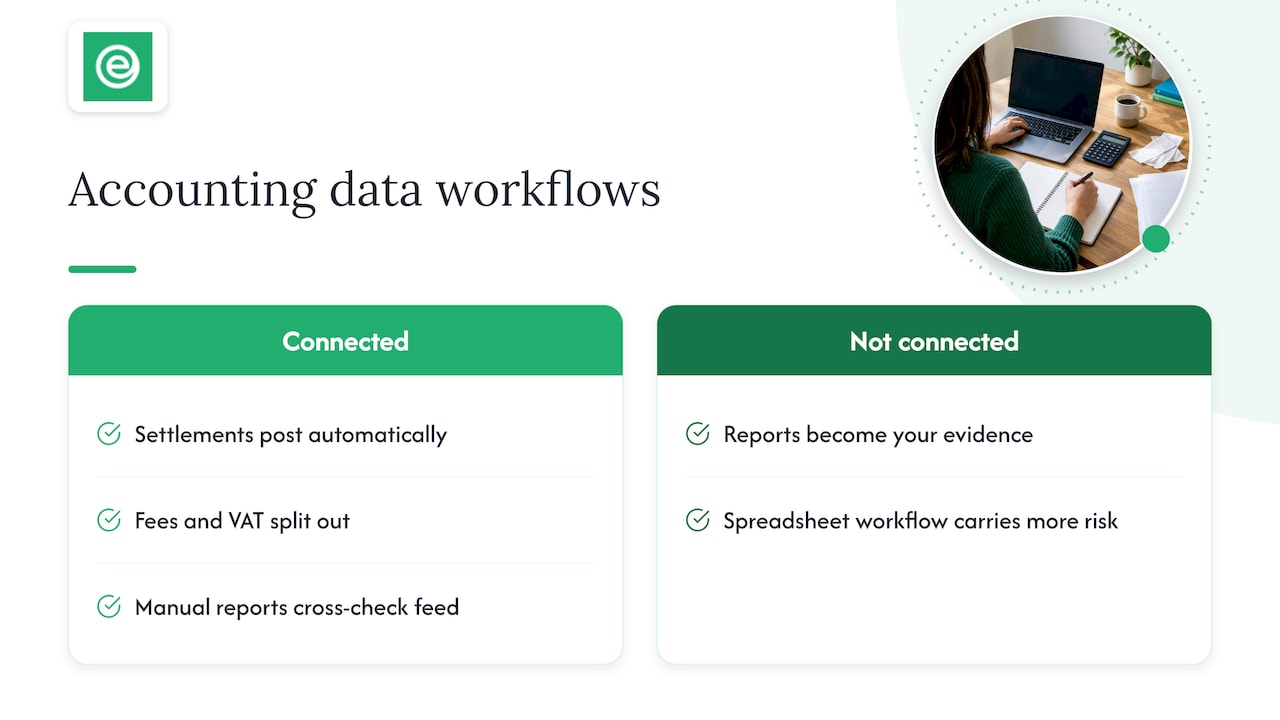
In practice, this is why many Amazon sellers connect Seller Central to Xero using a bridge such as Link My Books, so settlements post automatically with fees and VAT split out. If you are connected, your accountant works from the feed and uses the manual reports above as a cross-check. If you are not connected, the reports in this article become your evidence, and a spreadsheet-based workflow carries more risk. Our guide to choosing accounting software for an ecommerce store covers the options.
How long to keep the reports
Do not rely on Amazon to hold your history. Seller Central only retains report requests for a limited time, and you remain responsible for your own records. Guidance for UK sellers says VAT records should be kept for at least six years. Save the monthly pack in cloud storage in a clear folder structure, by year and month, and keep the supplier invoices with it.
Common mistakes we see in a report pack
- Sending only the PDF summary. It is good for an overview, but it cannot be reconciled line by line.
- Mixing date ranges. A report from the 3rd to the 28th leaves gaps. Use full calendar months or full settlement periods.
- Forgetting refunds and returns. Refunded orders affect both income and VAT. Our checklist for Amazon returns and VAT explains how they should be treated in Xero.
- Leaving out advertising. Ad costs can be a large share of spend, and they are not in the sales reports.
- No stock records. Without the Inventory Ledger, closing stock is a guess.
- Downloading once a year. Reports are easy in month one and painful in month twelve.
Our perspective
When a new Amazon seller joins us, the first thing we see is a bank feed full of payouts and a folder of half-finished downloads. Nobody is doing anything wrong; Seller Central simply does not tell you which report answers which question. So we start by agreeing a short, fixed monthly pack with the seller and their dedicated accountant, and we connect Seller Central to Xero so the routine data arrives automatically.
Our view is that the best report list is the shortest one that closes the loop: sales and fees, VAT, stock, advertising, and your own supplier costs. Anything beyond that is detail your accountant can request when a number looks odd. We would rather a client send the same five items every month than a clever, one-off bundle once a year.
We also think sellers should ask their accountant to explain what they do with each report. If you understand why the Inventory Ledger matters, you will notice when a shipment goes missing, not eleven months later.
— Kris
Let us handle the reports for you
Our all-inclusive plan starts from £29 + VAT a month, and each client has a dedicated accountant who handles Xero reconciliation and VAT returns for ecommerce sellers. If you would rather not wrestle with Seller Central every month, see our ecommerce accounting and VAT returns plan or read how our six step monthly close for Amazon FBA works.
A note on year-end
At year end, add three things to the monthly pack: a stock count or Inventory Ledger snapshot as at your year-end date, a list of any money you took out personally, and confirmation of your VAT scheme. If you trade as a sole trader, your accountant will use the same reports to prepare your self-assessment figures. If you run a limited company, they feed the annual accounts and corporation tax return. Either way, the cleaner the monthly pack, the shorter the year-end.
FAQ
Which Amazon report is the most important for my accountant?
For VAT-registered sellers it is the VAT Transactions Report, because it drives the return. For the accounts themselves it is the transaction or settlement data, which shows gross sales, fees and refunds. Neither works well without the other, so send both for the same period.
Can I just give my accountant access to Seller Central?
Many sellers do, with limited permissions, and it can save time. Use Amazon’s user permissions to give read-only access to reports rather than sharing your login. Even so, agree a monthly routine so the same reports are saved outside Amazon.
Does Amazon inform HMRC about my sales?
Since 1 January 2024, UK platforms have had reporting rules for sellers, broadly matching the EU’s DAC 7 regime. That makes accurate records more important, because HMRC may receive data about your income. Make sure your reported sales match your accounts.
How far back can I download reports?
Amazon keeps report requests for up to a year, and large reports can take up to three hours to generate. For older periods, check what you saved at the time. This is another reason to download monthly and store the files yourself.
Sources
- Amazon Seller Accounting Guide, Sellerbookkeeping.uk
- Quick Tip: Date Range reports, Amazon Seller Central forum
- Sponsored Ads invoices, Amazon Seller Central forum
- UK Amazon Seller Accounting and VAT Resource, Nentara
- VAT Tertiary Legislation: Making Tax Digital for VAT, GOV.UK
- Compliance checks: How to avoid penalties for Making Tax Digital for VAT, GOV.UK
- IEIM904430, Assumed Reporting and DAC 7 interaction, HMRC internal manual